
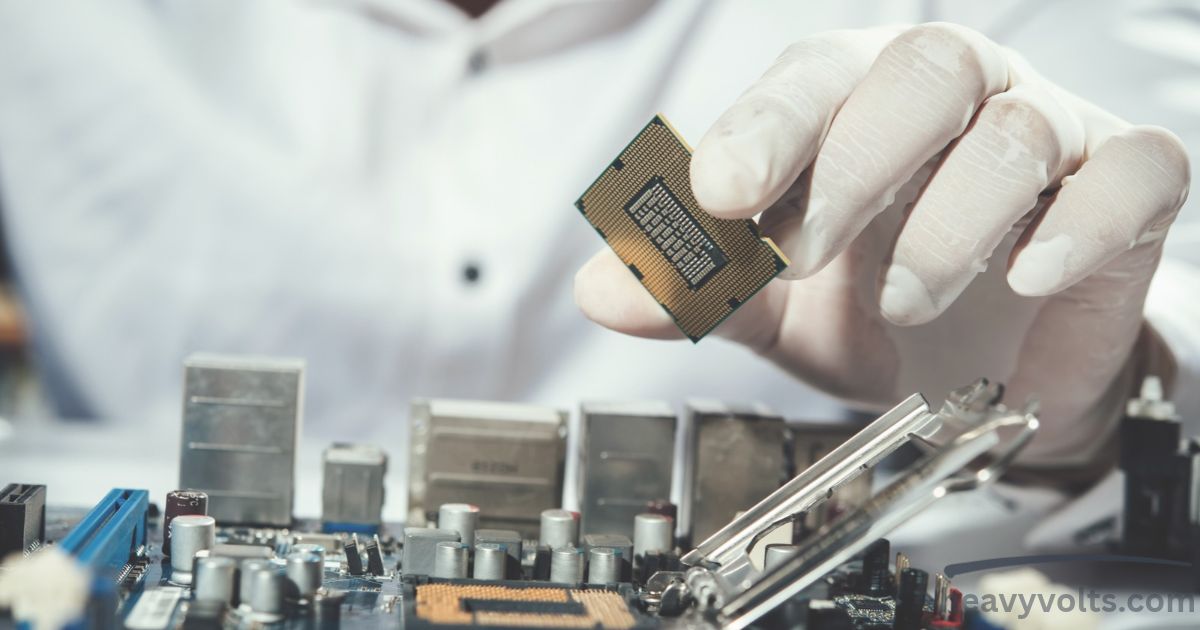
Motherboard and CPU repair help in New Braunfels, TX comes from local shops and mail-in specialists that handle different jobs. This guide explains what technicians do, what to check first, and where each provider fits. You will finish knowing which questions to ask and why this site shortens the search.
What Is Motherboard and CPU Repair?
Motherboard and CPU repair means locating a hardware fault on the main circuit board or the processor, then fixing or replacing the failed part, which sometimes means a motherboard replacement. The motherboard carries signals between every component, and the CPU (central processing unit) does the calculating. A technician decides first which of the two actually failed.
Many people say logic board when they mean motherboard, and both describe a printed circuit board (PCB) that links the processor, RAM (random access memory) and storage. Some newer machines use an integrated CPU design that solders the chip to the board. Older desktop boards use a CPU socket with a multi-pin interface, so technicians lift the chip out by hand.
How Do Board Sizes and Sockets Affect Repair?
Board size and socket type decide which parts fit. The motherboard form factor sets the dimensions, mounting holes and back panel layout, while the socket decides which processors fit. Knowing both helps you describe your machine by phone.
ATX arrived in 1995 at 12 by 9.6 inches, Micro-ATX followed in 1996, and Mini-ITX appeared in 2001 at 6.7 inches square. Nano-ITX and Pico-ITX shrink the layout further, and iFixit documents older sockets such as AMD Socket AM3, Intel Socket 1366 and Intel Socket 775. Its device pages also cover boards from ASUS, MSI, Gigabyte, ASRock, BIOSTAR and XFX.
What Symptoms Point to a Failing CPU or Motherboard?
Computer glitching, random shutdowns and startup refusals often signal a hardware fault in the processor or board. A computer won’t boot when the board cannot finish startup, and a PC turns on and off when power arrives but startup keeps failing. No single symptom proves a faulty CPU.
Crashes and slowdowns can come from a failed processor, but poor cooling or a worn power supply can cause them too. A faulty power supply to motherboard circuits produces the same symptoms as a bad chip, so technicians test the supply early. BIOS settings issues (Secure Boot, CSM) can also block a startup that looks like a hardware failure.
What Physical Damage Can a CPU Suffer?
A CPU suffers mostly mechanical damage, such as bent CPU pins, broken CPU pins and damaged SMDs. A dropped CPU, a chip forced into the socket backwards and a failed delid attempt cause most of it. Logistics reports that AMD Ryzen chips arrive most often because their pins bend easily.
Bent socket pins on the board need a different fix, because the socket stays on the motherboard. Poor pin contact can also come from an uneven cooler mount, and static damage leaves no visible mark. Most desktop Intel Core chips use flat contacts, so damage there lands on the socket.
Which Motherboard Faults Do Technicians Check?
Technicians check capacitors, the graphics chip, ports and the settings battery. A faulty capacitor, a failed graphics chip, a loose USB-C port or a dead CMOS battery each leaves a different symptom pattern. Matching symptom to part saves labor.
A loose USB-C port often shows up as charging issues, and an HDMI port that stops sending video suggests a similar solder fault. iFixit publishes a guide for a failed NVIDIA graphics chip and a wiki page on bad capacitors. A control board and a logic board fail like a motherboard, since each is a circuit board.
How Does a Technician Repair a CPU?
A technician repairs a CPU through pin repair, replacement or cleaning, depending on the fault. Component-level repair fixes the chip itself, while a CPU replacement service swaps in a new chip. Tests show which method fits.
Microsoldering rebuilds broken contacts, and direct pin replacement places new pins on the chip. Pin realignment bends intact pins back into socket tolerance, and Logistics builds custom pin-refitting tools for the chip’s pin bed. CPU delid repair covers chips damaged during lid removal, and Logistics asks customers to send any salvaged SMD filters.
What Happens During a CPU Replacement?
A CPU replacement at Micro Center starts with a paid diagnostic, then the technician swaps the chip and tests the system. You bring your PC, the new chip and your login details. The steps include CPU installation, fresh thermal paste and a startup check.
The page lists compressed air cleaning and vacuum cleaning first, then a grounded chassis to limit static damage and removal of the heatsink assembly. The chip locks in through the socket locking mechanism, and alcohol cleaning handles the heatsink contact surface cleaning before new paste goes on. Micro Center also stocks cooling solutions for desktops.
What Tests Confirm the Repair Worked?
Three checks confirm a repair: a Power On Self Test (POST), a PC-Doctor diagnostic and a burn-in test. Micro Center runs the burn-in test at high frequency to check thermal load. A water-cooled system needs longer stability testing than an air-cooled one. After a failed POST, the technician performs CPU reseating to check pin integrity. Logistics uses a test rig and sends photo proof of repaired CPU booting.
Can You Fix a CPU or Motherboard Problem Yourself?
You can handle cleaning, thermal paste replacement and a BIOS update yourself. Soldering and board-level repairs need professional tools.
iFixit lists tweezers, thermal paste, an anti-static wrist strap and a Phillips screwdriver as tools. Its guides cover CPU cooler cleaning, including cooling fan replacement on one AMD cooler. A BIOS update and CMOS configuration need only patience, but call a technician if bent pins resist a gentle fix.
What Should You Look for in a Service Provider?
Look for stated credentials, a written warranty and a clear diagnostic process. Micro Center lists CompTIA A+ certified technicians and OEM certified technicians, and uBreakiFix calls itself an authorized repair provider for Samsung, Google, Microsoft Surface and Xbox. Match credentials to your device.
Warranty terms differ. Micro Center warrants labor for 90 days, uBreakiFix states a 1-year limited warranty on most repairs, and Logistics states a 90-day parts and labor warranty. uBreakiFix describes certified parts built to OEM-spec parts standards, though its page never names CPU repair.
How Should You Judge a Diagnostic Process?
A good diagnostic names the fault before repair starts. Steve’s Computer Repair describes a 20-step diagnostic process, Micro Center describes a 400-point inspection, and uBreakiFix offers free diagnostics with advanced troubleshooting for harder cases. Ask what each step covers.
Root cause analysis matters because a failed processor and a weak power supply look alike. Steve’s lists computer diagnostics as its own service, and Centex Computers pairs a free estimate with a repair vs. replace analysis. Ask for repair risks explained before you approve work.
How Do You Protect Your Data During a Repair?
Back up your files before any repair, because data loss risk comes with any hardware work. Micro Center says repairs may cause data loss, and uBreakiFix says some repairs require a device reset. Back up data before repair.
uBreakiFix says its technicians practice privacy protection during repair, and Micro Center offers limited data backup for specific files. Centex Computers lists data backup and first-level data recovery. A failed hard drive or SSD needs data recovery before anyone replaces it.
Which Providers Handle This Work Near New Braunfels?
This guide covers six providers: Centex Computers, uBreakiFix, Steve’s Computer Repair, Micro Center, Logistics and iFixit. Each brand offers the services listed on its own website, so this guide names only confirmed services. Call about anything a page leaves out.
Centex Computers and uBreakiFix operate in New Braunfels, while Steve’s works from San Antonio. Micro Center, Logistics and iFixit offer replacement, mail-in work and online guides. Compare pages against your symptoms.
What Does Centex Computers Offer?
Centex Computers runs a family-owned shop in downtown New Braunfels for Windows PCs and Macs. Its site lists same-day or next-day turnaround, free estimates and appointment-only visits. Call first to book.
The site lists virus removal, PC tune-up, hard drive replacement, laptop screen repair, power and charging faults, Windows reinstalls, data backup, custom PC build work and Mac repair. It serves Comal County, including Canyon Lake, Spring Branch, Bulverde, Seguin and San Marcos. Its page does not name CPU repair or motherboard repair, so ask before you book.
What Does uBreakiFix in New Braunfels Offer?
uBreakiFix operates a store on State Highway 46, in the I-35 / Highway 46 area, and repairs computers, laptops and MacBooks. Its page lists walk-ins, appointments and mail-in repair. It promises same-day repair for most common jobs.
The page lists PC tune-up, virus removal, data transfer and data backup, and it excludes liquid damage repairs from the warranty. It names MacBook repair and calls itself an independent Apple provider, so Apple/MacBook owners should read it. Its repair vans may come to you, a form of on-site repair, but it never names CPU or motherboard work.
Where Does Steve’s Computer Repair Fit?
Steve’s Computer Repair in San Antonio publishes a dedicated page for desktop processor and laptop processor repair. It lists New Braunfels among its service areas and describes in-store and on-site repair. The page quotes a 3 to 5 day turnaround.
The site names Dell, HP and Apple among the brands it repairs, and its menu lists motherboard repair, power supply repair, hard drive repair, data recovery and SSD upgrade pages. The page skips the repair method. Ask which fix the shop would use.
What Do Micro Center, Logistics and iFixit Add?
Micro Center, Logistics and iFixit cover work local shops may not list. Micro Center replaces failed processors after a paid diagnostic, Logistics repairs pins by mail from Storrs, Connecticut, and iFixit publishes free guides. Micro Center’s page mentions a Fairfax store, so confirm your location.
Logistics lists pin repair for AMD Ryzen and Intel chips, logic board repair by mail, HDMI and USB port replacement and drop-off repair at its shop. Its banner says some board requests face delays. iFixit lists guides for thermal paste, bent pins, delidding and a failed graphics chip, plus a question forum.
Why Is This Site the Easiest Way to Find a Provider?
This site gathers provider details in one place, so you compare services without opening six tabs. It separates confirmed services from unnamed ones. The right provider depends on the fault.
Arrive with your symptoms, socket type and questions, then match them to the providers above. Each brand offers the services listed on its own website, so this guide points you to the right page. Bookmark it before you call.
What Questions Do People Ask About CPU Repair?
Can a bent CPU pin be repaired?
Yes, Logistics states that its technicians straighten bent pins and replace broken ones by microsoldering. The outcome depends on how many pins failed and on the chip. Logistics asks for photos first.
How long does CPU repair take?
Turnaround differs. Steve’s quotes 3 to 5 days, Centex says usually same or next day, and Micro Center’s page shows same-day repair with pickup within one business day. Ordering parts adds more time.
Does one shop fix both a CPU and a motherboard?
Not always. Logistics lists both pin repair and motherboard repair by mail, while Micro Center’s page covers CPU replacement only. Read each page, then confirm by phone.
Where Can You Find Motherboard and CPU Repair Help in New Braunfels TX?
Motherboard and CPU repair help in New Braunfels TX starts with matching your symptoms to a provider whose website confirms the service you need. This guide covers Centex Computers, uBreakiFix, Steve’s Computer Repair, Micro Center, Logistics and iFixit, and each brand offers the services listed on its own website. Visit this site, compare the options, and call with your questions ready.